Exodus
November 11, 2026 · Kvix
1. Install What You Need
First, install these programs:
- DirectX End-User Runtime Web
- Visual C++ Redistributable x86
- Visual C++ Redistributable x64
- Medal.tv
- Download and install Medal.tv.
- Run Medal as Administrator.
- Turn off "Capture Clips" in "Clip Settings".
- Always run the game in Windowed or Borderless mode.
- You can use the Discord overlay instead of Medal. In Discord, open User Settings > Game Overlay. Turn on Enable Overlay and turn off Enable Legacy Overlay.
Important Notes
- Problems WILL happen if you do not follow these steps exactly.
- These are INSTRUCTIONS, not tips.
- If you run into problems, read the GUIDE.
2. Setup Steps
You can find the loader download in your purchase email.
- Check that you have Windows 10/11 Pro or Enterprise. Exodus does not work on Windows Home. How to check your version
- Remove your Windows sign-in PIN. The loader needs this to turn off Hyper-V (a Windows feature), even if you don't use the spoofer. The steps are under If it doesn't work below.
- Turn off all antiviruses with DefenderControl. Also uninstall anti-cheats such as FaceIT or Vanguard, then restart your PC.
- The first time you use the loader, your PC might restart a few times.
- Make sure the overlay is on.
- Download the loader.
- Make sure the game is closed.
- Open the loader. It can be on your local disk or on a USB drive.
- Right-click to paste your license key.
- Follow the steps the loader shows you.
- Do you want to use our spoofer? Then make sure you have no password or PIN code.
- After the first injection, the PC will restart. Then you need to inject a second time.
- When the injection or spoofing works, the loader closes or shows a message. Then you may start the game.
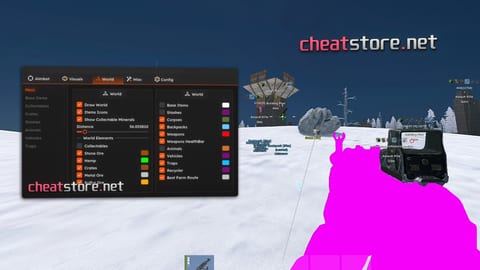
- Menu key is Delete
3. More Notes
- Exodus guides cover a lot. They often have the fix for your problem. Please visit Exodus Guides. See if your problem has a guide before you open a ticket.
If it doesn't work
The loader says to remove your PIN and turn off Hyper-V
- Open Settings > Accounts > Sign-in options.
- Under PIN (Windows Hello), click Remove. Enter your account password to confirm.
- Is Remove grey? Turn off the switch For improved security, only allow Windows Hello sign-in for Microsoft accounts on this device. Restart your PC and try step 2 again.
- Still grey? Go to Settings > Accounts > Your info and click Sign in with a local account instead.
- Restart your PC and open the loader again.
The loader says "Failed to map memory"
- Open Task Manager with Ctrl + Shift + Esc.
- Go to Startup apps (on Windows 10 it is called Startup). Right-click each app and click Disable.
- Restart your PC and open the loader again.
Exodus needs 16 GB of RAM or more. With less RAM, this error can keep coming back.
The loader says the product is frozen
This means Exodus is updating the cheat. You can't load it until the update is done. Check the status page and try again when it is back.
Need help? Check our Wiki first. Still stuck? Contact support at https://cheatstore.net/discord.
Read our guide: How to avoid bans in Rust.