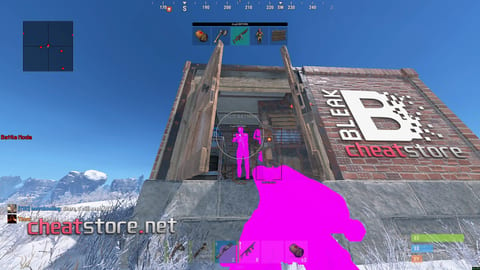
November 5, 2026 · Kvix
1. Install Dependencies
Dependencies are apps the cheat needs to run. Install both of them first.
2. Get Your PC Ready
-
First, restart your PC.
-
Close all games and game launchers (apps like Steam that start your games).
-
Turn off any Anti-Virus or Anti-Cheat software:
- For Windows Defender, use Defender Control. The ZIP password is
sordum. - Uninstall any other antivirus you have, like 360 or Avast.
- Uninstall Faceit, Vanguard or any other anti-cheat you have. Our anti-cheat guide shows how.
- For Windows Defender, use Defender Control. The ZIP password is
-
Use an official copy of Windows Pro or Enterprise.
-
HVCI / Core Isolation must be off (guide). It is a Windows security setting.
-
Secure boot must be off. You change it in the BIOS. The BIOS is the setup screen your PC shows before Windows starts.
- Boot into BIOS: Restart your PC. As it starts, press the BIOS key. It is most often F2, F12, Del, or Esc.
- Disable Secure Boot: In the BIOS, find the Security or Boot menu.
- Change "Secure Boot" to Disabled.
- Continue to TPM steps: Stay in the BIOS. Do the steps below before you leave it.
-
TPM must be off. TPM is a security feature of your PC. You turn it off in the BIOS too.
- Navigate to Security/Advanced: Look for tabs named Security, Advanced, or Trusted Computing.
- Locate TPM Settings: Intel Platforms: Look for PTT or Intel Platform Trust Technology. AMD Platforms: Look for fTPM or AMD Firmware TPM.
- Disable TPM: Change the setting from Enabled to Disabled or Hidden.
- Save and Exit: Press F10 to save. Your PC will restart.
-
Restart your PC after you make all these changes.
-
Download and install SteelSeries GG: SteelSeries GG. You set it up after you run the loader the first time (step 3).
3. Download the Loader
- Download the Bleak loader. Use the download link in your purchase email, or go to the Loader Download Page.
- Close Rust, Steam and other game launchers.
- Run the loader as administrator.
- Enter your key and click Inject.
- Wait for your PC to restart automatically.
- After the restart, run SteelSeries GG as administrator. Then set it up:
- Turn on Sonar.
- Under Shortcuts, put the F7 key on Master - Volume Up.
- Go to Settings -> "Moments" -> "Capture and Sound". Turn off "Allow Moments to capture while gaming".
- Go to "Overlay and Notifications". Turn off "Display game overlays".
- Turn off Moments and automatic recording. Do this on the SteelSeries home screen too.
- Press F7.
- Run the loader again as administrator. Enter your key and click Inject.
4. Start the Game
- Start Rust through Steam.
- Set Rust to Borderless mode (a window with no edges that fills the screen).
- The menu opens by itself. Press "Insert" or "Home" to open and close it.
If it does not work
The loader says to turn on Hyper-V
The loader needs Hyper-V on. Hyper-V is a Windows feature. Do not use a tool or script that turns it off.
- Press Windows key + R, type
winverand press Enter. It must say Pro or Enterprise. Windows Home does not have Hyper-V. - Search for Turn Windows features on or off in the Start menu and open it.
- Tick every Hyper-V box. Click OK, then restart your PC.
- Open Task Manager (Ctrl + Shift + Esc). Go to Performance and click CPU. Virtualization must say Enabled.
- If it says Disabled, turn on Intel VT-x or AMD SVM in the BIOS. Then run the loader again as administrator.
Need help? Check our Wiki first. Still stuck? Contact support at https://cheatstore.net/discord.
Read our guide: How to avoid bans in Rust.